
Sensors & Actuators
Explore the innovative world of sensors and actuators for enhanced automation and control solutions.
Sensors and Actuators
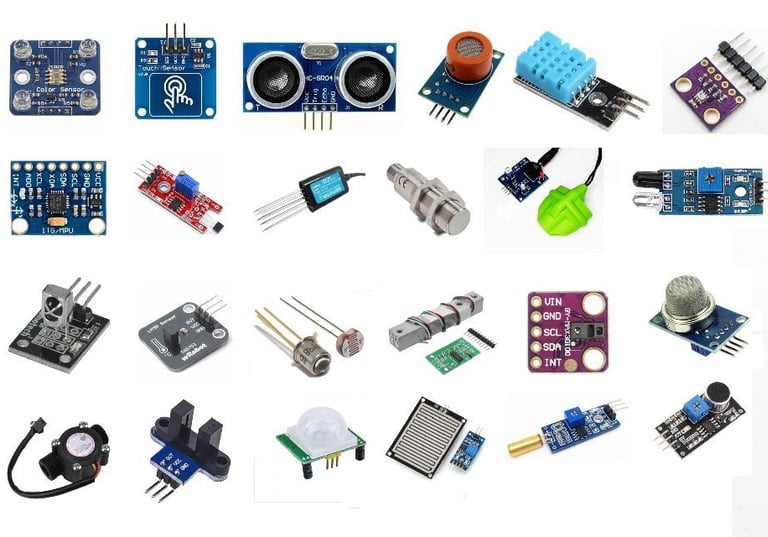
When working with Arduino, it is important to understand sensors and actuators, and the difference between them.
What is a Sensor?
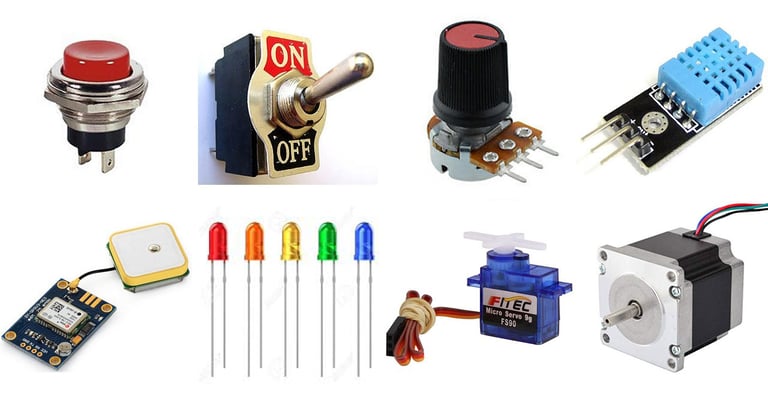
A sensor, in simple terms, is used to sense its environment, meaning it records a physical parameter, for example temperature, and converts it into an electronic signal.
Sensors can also take the form of just a simple button: when a state changes (we pressed a button), the electronic signal is switched from low to high (0 to 1).
There are many types of sensors, and several ways of recording data from them. Perhaps the easiest to use is an analog sensor, where we communicate a range of values through altering the voltage input fed into an Arduino analog pin (usually between 0-5 volts). This simply gives you a range between 0-1023 (a 10-bit resolution).
Digital sensors are a bit more advanced, depending on the type. They rely on Serial Communication Protocols to send the data accordingly, and requires a bit more effort to translate the data. As mentioned in the Electronic Signals section above, data is sent using a binary sequence (e.g.101101is45), and this needs to be addressed and configured on a software level. Luckily, a lot of sensors are accompanied by software libraries, which makes it a lot easier to read.
In many cases using a library, all we need is just one line of code:


What is an Actuator?
An actuator, in simple terms, is used to actuate or change a physical state. Some examples are:
A light (such as an LED).
A motor.
A switch.
Actuators converts electric signals into e.g. radiant energy (light) or mechanical energy (movement).
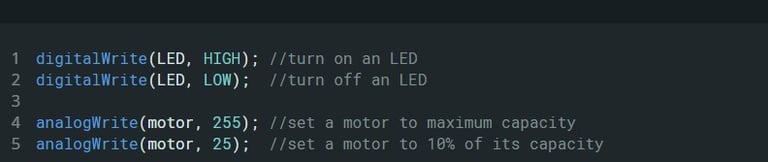
How actuators are controlled really depends on what type of component we have. The most simple way is to simply turn something on/off, while more advanced is controlling the amount of voltage a component receives (i.e. the speed of a motor).
To control actuators, it is common to use digitalWrite()andanalogWrite().